




PLATFORM
The physical AI stack, from field signal to approved action.
Three layers that close one loop. The foundation senses every operational signal. The core models and learns from it. The domain layer reasons about the plant and acts on it, with a person approving every command, one by one or in advance for a bounded set.
- Efficiency
- 82 %
- Speed
- 9 840 rpm
- Suction
- 1.21 MPa
- Discharge
- 1.68 MPa
- Outlet valve
- Open
- Efficiency
- 79 %
- Speed
- 9 610 rpm
- Suction
- 1.20 MPa
- Discharge
- 1.66 MPa
- Outlet valve
- Open
- Efficiency
- – %
- Speed
- 0 rpm
- Suction
- 1.19 MPa
- Discharge
- – MPa
- Outlet valve
- Closed
Physics-based twins reveal the dark zones beyond sensor coverage and run what-if scenarios without touching live operations. Graph-based cause models find the true root cause. Domain-adapted LLMs, on-premise, explain and recommend.
Time-series models detect anomalies and degradation in high-frequency telemetry. Forecasts reach under 5% test MAPE on regional short-term load. The calculation engine runs state estimation and the network model.
The runtime executes the plant model in real time and serves operator screens. Studio configures projects, screens, alarms and archives, versioned in Git. The distributed real-time database replicates across servers with 10–20+ years of history.
Architecture
Built for projects that cannot go down.
Data enters at the edge, close to the equipment. A central hub brings every site together and fills the gaps in telemetry. The AI layer works on that complete picture.
- 03 · AI layerModels, forecasts and agents
- System model and simulation engine
- Forecasting and predictive maintenance
- AI services: MCP, RAG and on-premise LLMs
- 02 · Main hubOne picture of every site
- Collects telemetry from all edge instances
- State estimation for the dark zones in telemetry and topology
- Optional cloud-side calculations
- 01 · EdgeNext to the equipment
- Drivers for PLCs, IoT devices and SQL / NoSQL databases
- Interchangeable execution nodes for each project
- Calculations and data normalisation at the source
Modules
Nine modules, one runtime.
Runtime & Studio
Operator screens with a graphical editor, JavaScript scripting and Git versioning.
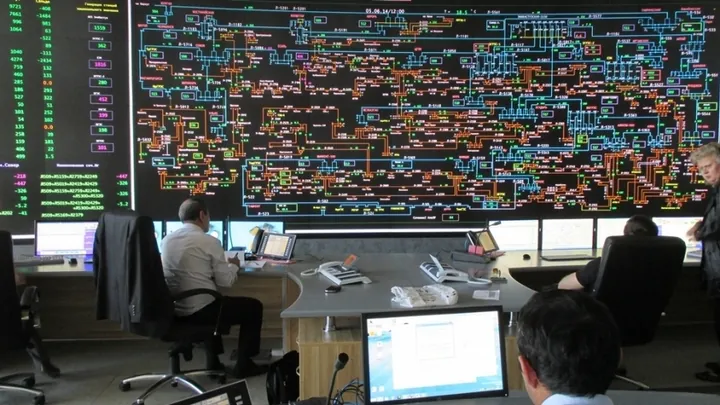
70workstations at the National Dispatch Centre
Historian & data delivery
Guaranteed delivery of every signal, no single point of failure.
99.99%uptime, sub-second delivery
Digital twin & DTS
Network model that finds gray zones, runs scenarios and trains dispatchers.
60 selectromechanical transient cycle
FP Blueprint
3D models and P&IDs bound to live tags. The drawing becomes the operator screen.
2D + 3Done tag model behind both viewsSee it below ↓
Forecasting
Load and generation forecasts for market operations, budgets and limits.
<5%test MAPE, regional short-term load
AI assistant & agents
Alarm grouping, LLM summaries and RAG over operating instructions.
10–100×fewer alarms visible to the operator
KPI/MES & GO Mobile
Uptime, throughput, losses and OEE for oil & gas assets, on desktop and phone.
120metrics, 10+ built-in reports
Operational logs
Shift logs, orders, observations and incident reports with electronic sign-off.
Rolebased sign-off, full audit trail
Architecture & security
Cluster-based, hot–hot redundancy, deterministic replication, on-premise.
<1 sfrom approval to command
FP Blueprint · new, in development
The P&ID and the 3D model, live.
Import the engineering drawings, build the 3D model from them, and bind every symbol and object to its tag in Faceplate. Operators see live values on the drawing they already know; the agent reasons over the same model.
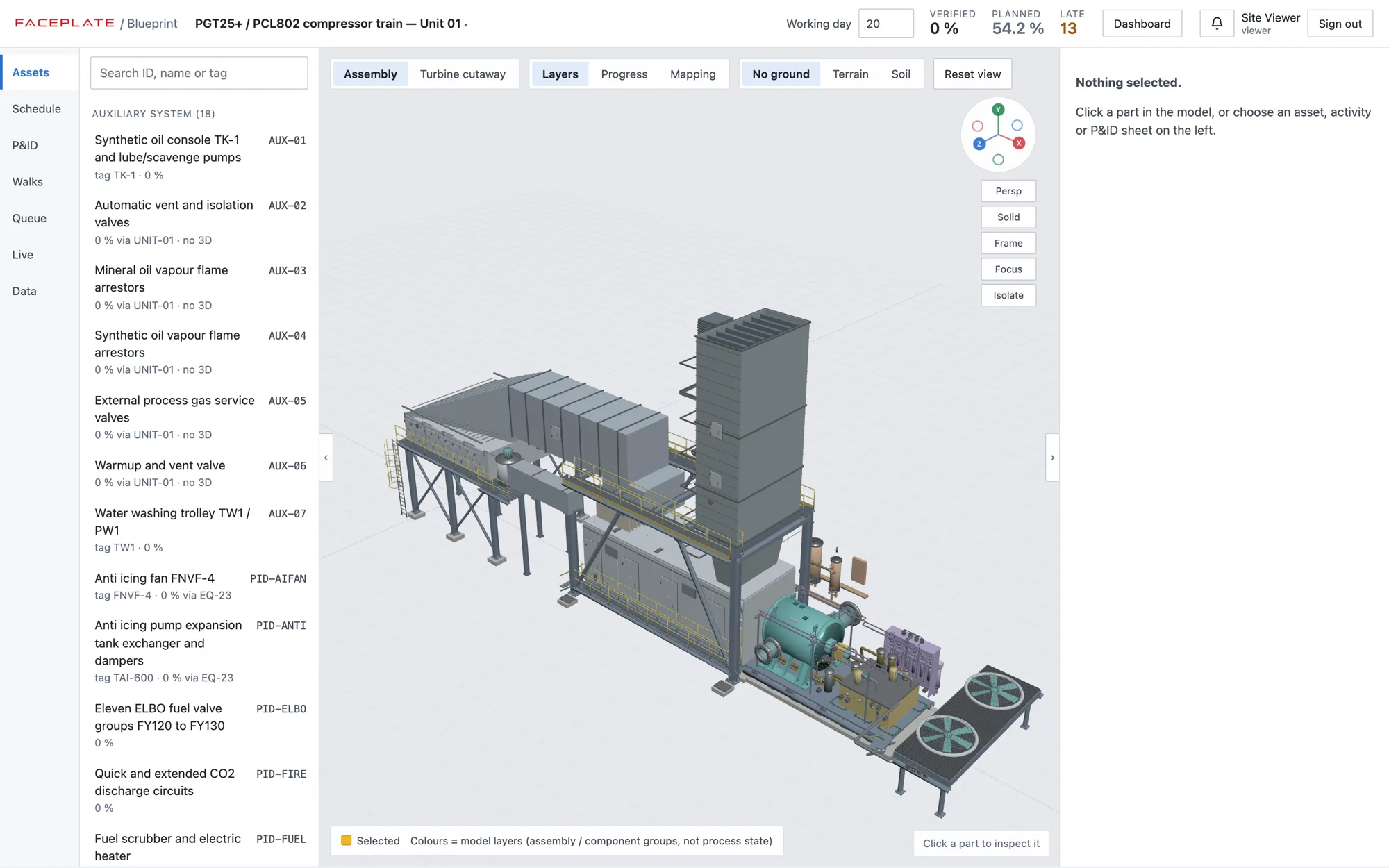
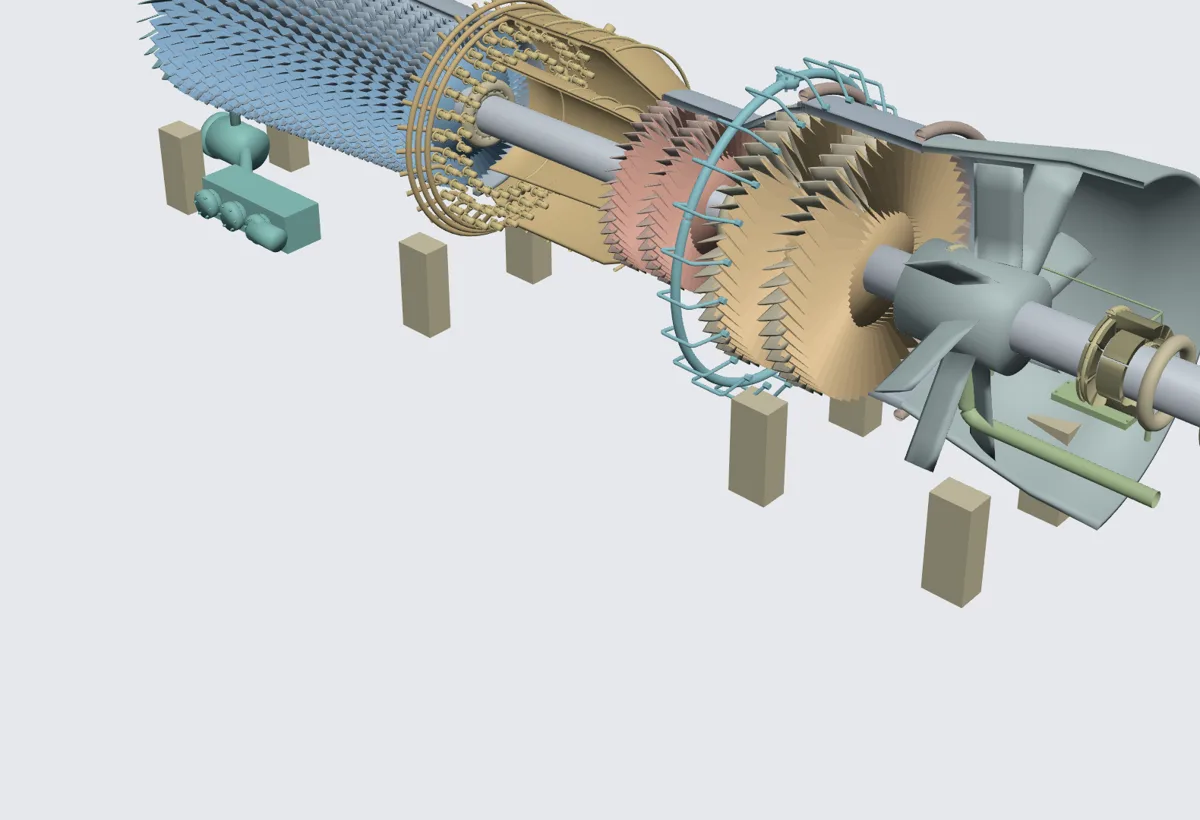
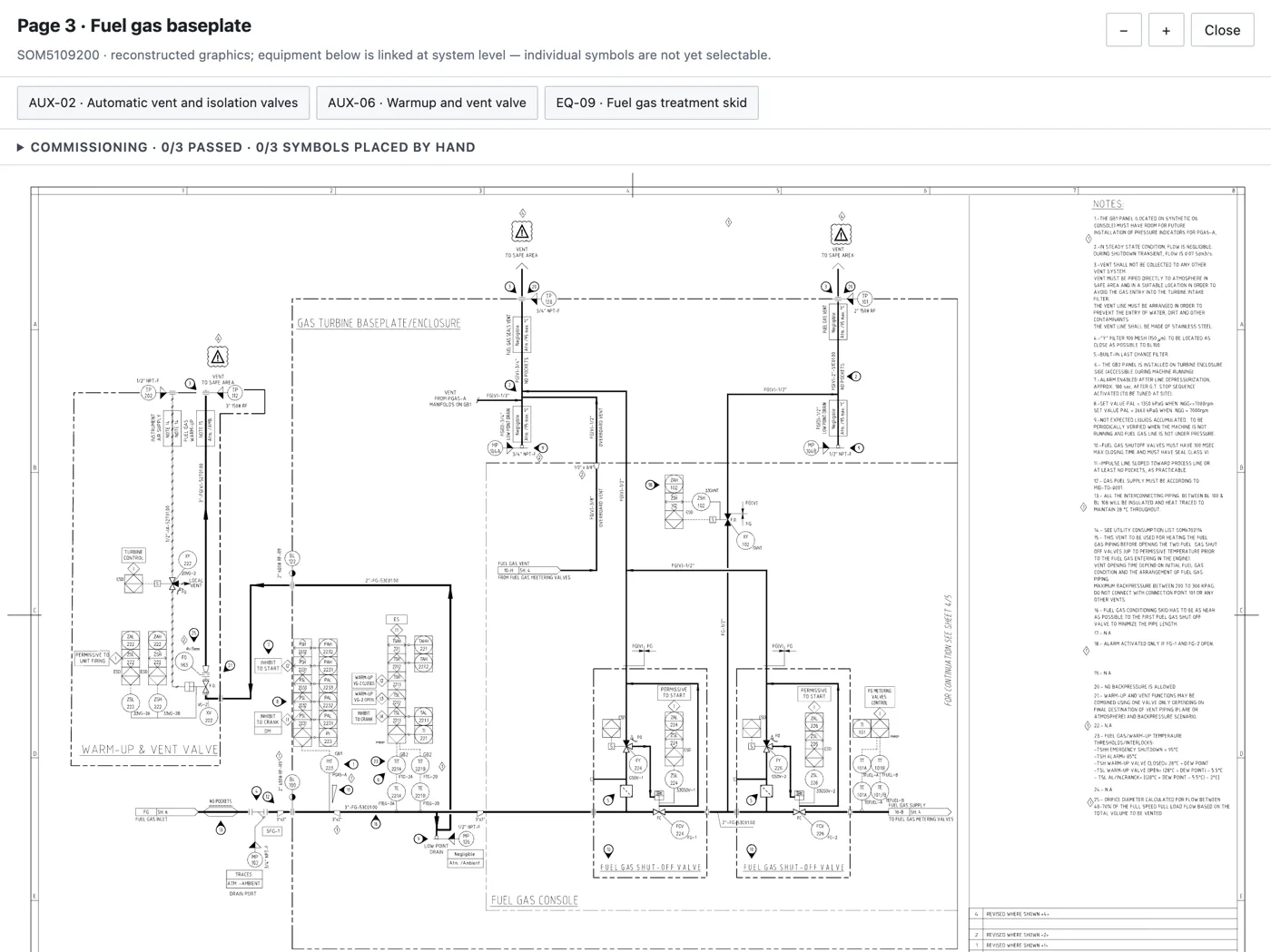
From drawings
Import AutoCAD drawings and P&IDs; generate the 3D model from them instead of modelling from scratch.
Bound to tags
Every symbol and object maps to its tag, so the drawing shows live values, alarms and trends.
Context on click
Select a valve in 3D to see its history, work orders and limits, the same context the agent uses.
Construction progress
Compare 360° site walks with the 3D model to track what is built. In development.
Connects to what you already run
Evolution, not replacement.
Faceplate runs beside existing SCADA and BMS, links them, and adds AI and digital twins on top. When the client wants it, Faceplate replaces the legacy system outright, as KEGOC did.
- Field protocols
- IEC 60870-5-101 / 104IEC 61850OPC UAOPC DAModbus TCP / RTUSiemens S7EtherNet/IPIEC 62056M-BusDCONSNMP
- Grid models
- IEC 61850 topologyCIM / CGMES
- Control systems
- SiemensYokogawaEmersonHoneywellABB
- Business systems
- SAPOdoo
- Databases
- OraclePostgreSQLSQL Server
- Analytics
- Power BIJupyter
Questions
What engineers ask first.
What is Faceplate?
An industrial software platform for energy and infrastructure: SCADA runtime and Studio, a distributed historian, a digital twin and AI agents in one stack. It is developed by Faceplate LLP in Almaty, Kazakhstan.
Does Faceplate replace our existing SCADA?
Not necessarily. Faceplate runs beside existing SCADA and BMS, links them, and adds AI and digital twins on top. When the client wants it, Faceplate replaces the legacy system outright, as KEGOC did with its national SCADA/EMS.
Which protocols and systems does it connect to?
Most industrial protocols, including IEC 60870-5-101/104, IEC 61850, OPC UA and DA, Modbus TCP/RTU, Siemens S7 and EtherNet/IP. It reads grid models in CIM/CGMES, works with control systems from Siemens, Yokogawa, Emerson, Honeywell and ABB, and with SAP, Odoo, Oracle, PostgreSQL and SQL Server.
Can it run on-premise?
Yes. The platform is cluster-based with hot–hot redundancy and deterministic replication, and runs on your own servers, including the language models the AI agents use.
Where does Faceplate run in production?
KEGOC, Kazakhstan’s national grid operator, runs its national SCADA/EMS on Faceplate: 5M+ tags, 99.99% uptime and 70 workstations at the National Dispatch Centre in Astana. Other deployments include Eni’s Badamsha wind farm and the Kashagan compressor stations.
Can I try it without a project?
Yes. The developers page has the Faceplate stack as Docker Compose, with an OpenClaw agent for power grids, so you can run a SCADA with an AI agent on your laptop.
See the stack on a topology like yours.
An engineer walks you through the architecture, redundancy and integration with the systems you run today.